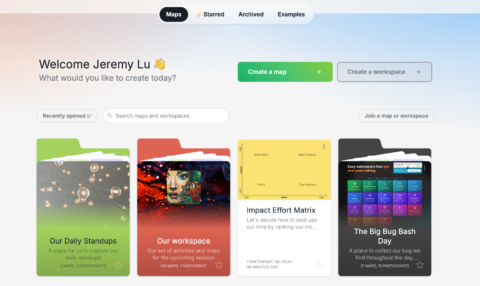
A fresh look across the whole app
We’re excited. Like, genuinely, can’t-stop-refreshing-the-staging-environment excited. Because coming in mid June 2026, we’re rolling out something we’ve been quietly building toward for a while — a refreshed GroupMap experience that’s cleaner, smarter-feeling, and honestly just a lot more enjoyable to use every day.
Here’s the important part upfront: everything still works exactly the way you expect it to. Your maps, your workflows, your templates — all intact. This is a visual and experiential refresh, not a functional overhaul. Think of it as GroupMap putting on a sharp new outfit while keeping everything you already rely on right where it’s always been.
So what’s actually changing? Let’s walk through it.
The most immediately noticeable change is the overall design modernisation. We’ve taken a hard look at every surface in GroupMap and asked: does this feel current? Does it feel like a tool people enjoy opening?
The answer led us to a cleaner visual language — more breathing room, better use of space, sharper typography, and a more cohesive feel from screen to screen. It’s the kind of update that’s hard to put into a single sentence, but the moment you log in, you’ll feel it. It just looks right.
Your workspace, your way
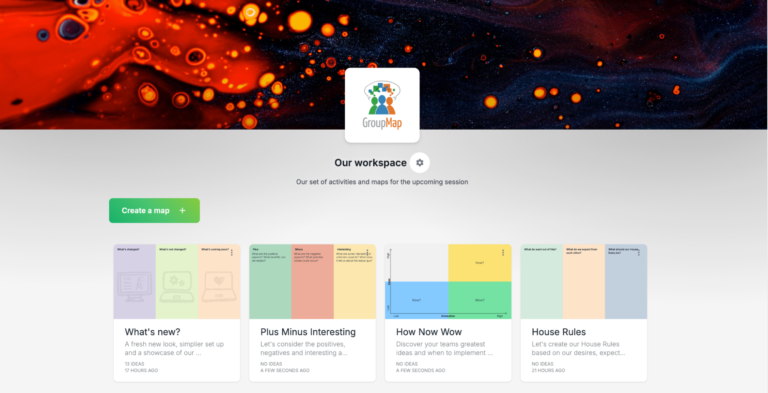
One of the most-requested improvements we’ve heard over the years is more control over how your GroupMap workspace looks and feels — and we’ve delivered. The new workspace customisation options mean you can shape the environment to match your team, your brand, or just your own preferences.
Whether you’re running sessions for a corporate team that lives and breathes their brand identity, or facilitating a community group that wants something warm and approachable, GroupMap now gives you the tools to make it yours.
AI front and centre (where it belongs)
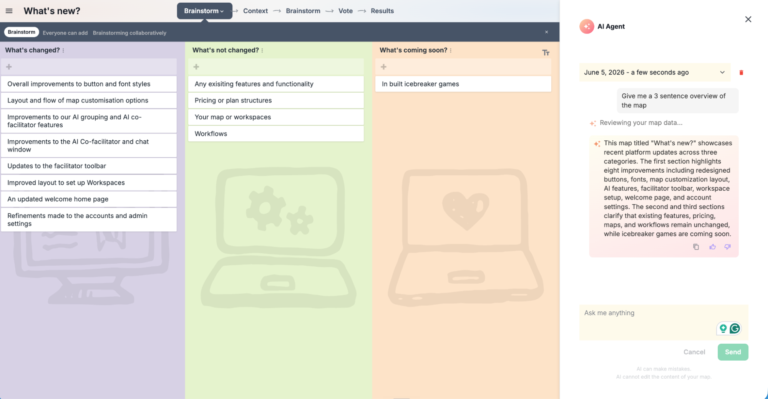
If you’ve been using GroupMap’s AI features, you already know how powerful the AI grouping and AI Facilitator capabilities are. With this update, we’re giving them the spotlight they deserve.
The AI Facilitator panel has been redesigned to sit prominently in the side panel — more accessible, more intuitive, easier to activate mid-session without interrupting your flow. It’s the same powerful AI underneath, just surfaced in a way that makes it feel like a genuine co-facilitator rather than a buried feature you have to hunt for.
The AI grouping capability continues to be one of the most time-saving features in GroupMap, and the updated layout makes it even easier to trigger, review, and act on AI-generated clusters of ideas. If you haven’t explored this yet, the coming update is a great excuse to try it.
Cleaner map customisation
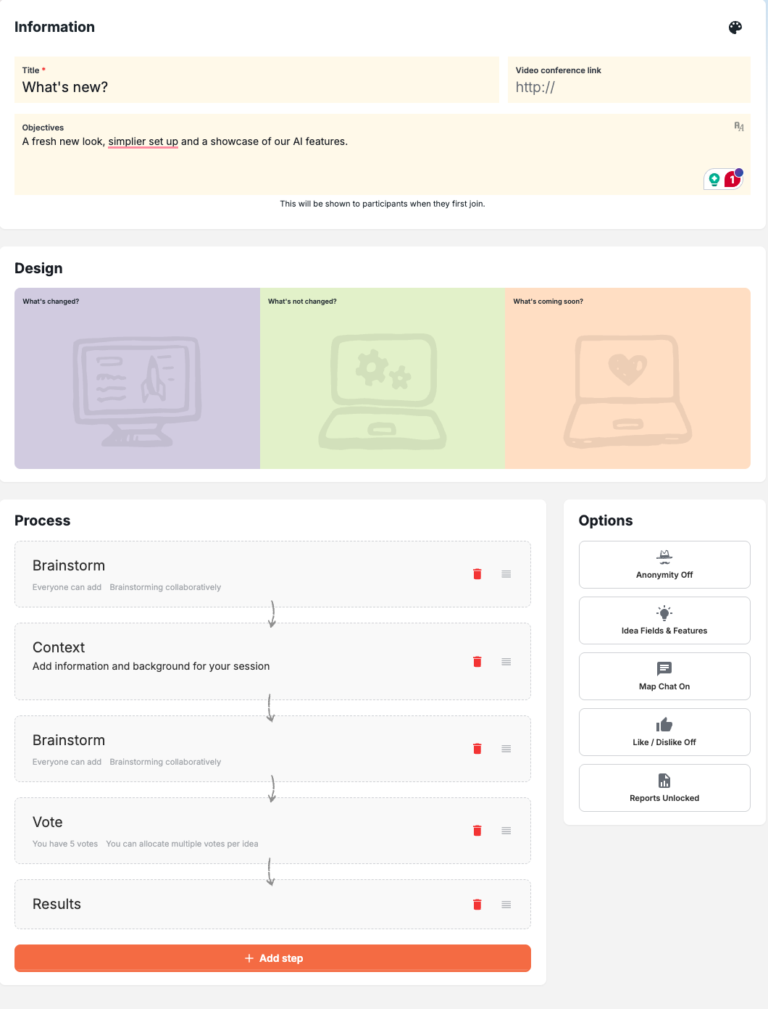
Anyone who’s spent time setting up maps and configuring workflows in GroupMap knows the process has been… functional. It worked. But we knew we could make it feel better.
The updated map customisation layout streamlines the setup experience — fewer clicks to get where you’re going, a more logical flow between configuration options, and a layout that makes it easier to see what you’ve set up at a glance. Whether you’re spinning up a quick retrospective or building out a complex multi-stage facilitation workflow, the new layout just makes the process more enjoyable.
What's NOT changing
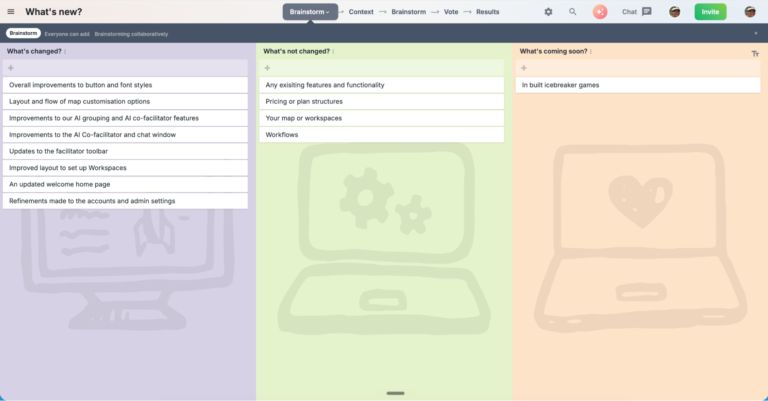
We know that any UI update — even a positive one — can create a moment of ‘wait, where did that go?’ So let us be clear:
All your existing maps, templates, and workflows are untouched. Every feature that exists today will still exist after the update. The navigation structure remains familiar. Your team won’t need retraining. There are no new pricing tiers, no feature removals, no surprise changes to how anything fundamentally works.
This is a refresh, not a reimagining. We’ve improved the experience around all the things you already use — we haven’t moved the cheese.
Ready to see it for yourself?
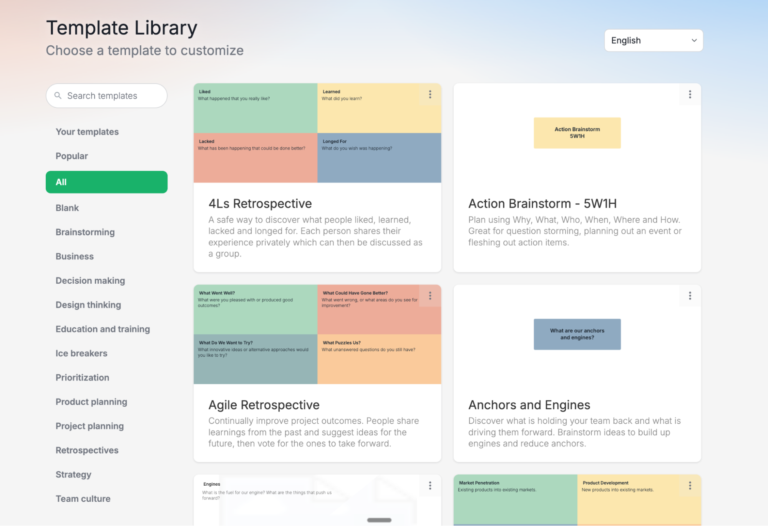
The update rolls out in mid June 2026 — no action needed on your end. Just log in and enjoy the fresh experience.
In the meantime, here’s what you can do:
- Explore the AI facilitator — if you haven’t used it yet, now’s the perfect time. Head to any map and open the side panel.
- Share the news with your team — forward this post so no one is surprised by the fresh look on launch day.
- Send us your feedback — we genuinely want to hear your first impressions. Reach out via the in-app chat or drop us a note at info@groupmap.com.
We’re proud of this one. See you on the other side.
— The GroupMap Team