Character Alignment Chart
Free alignment chart maker: build a 3×3 lawful-to-chaotic, good-to-evil morality chart online and fill it in live with your team or group in GroupMap.
The Character Alignment Chart
A character alignment chart is a 3×3 grid that plots a moral axis (good, neutral, evil) against an ethical axis (lawful, neutral, chaotic). This alignment chart maker lets you build one online and classify any action, character or idea as lawful, chaotic, good, evil, or somewhere in between, together and in real time.
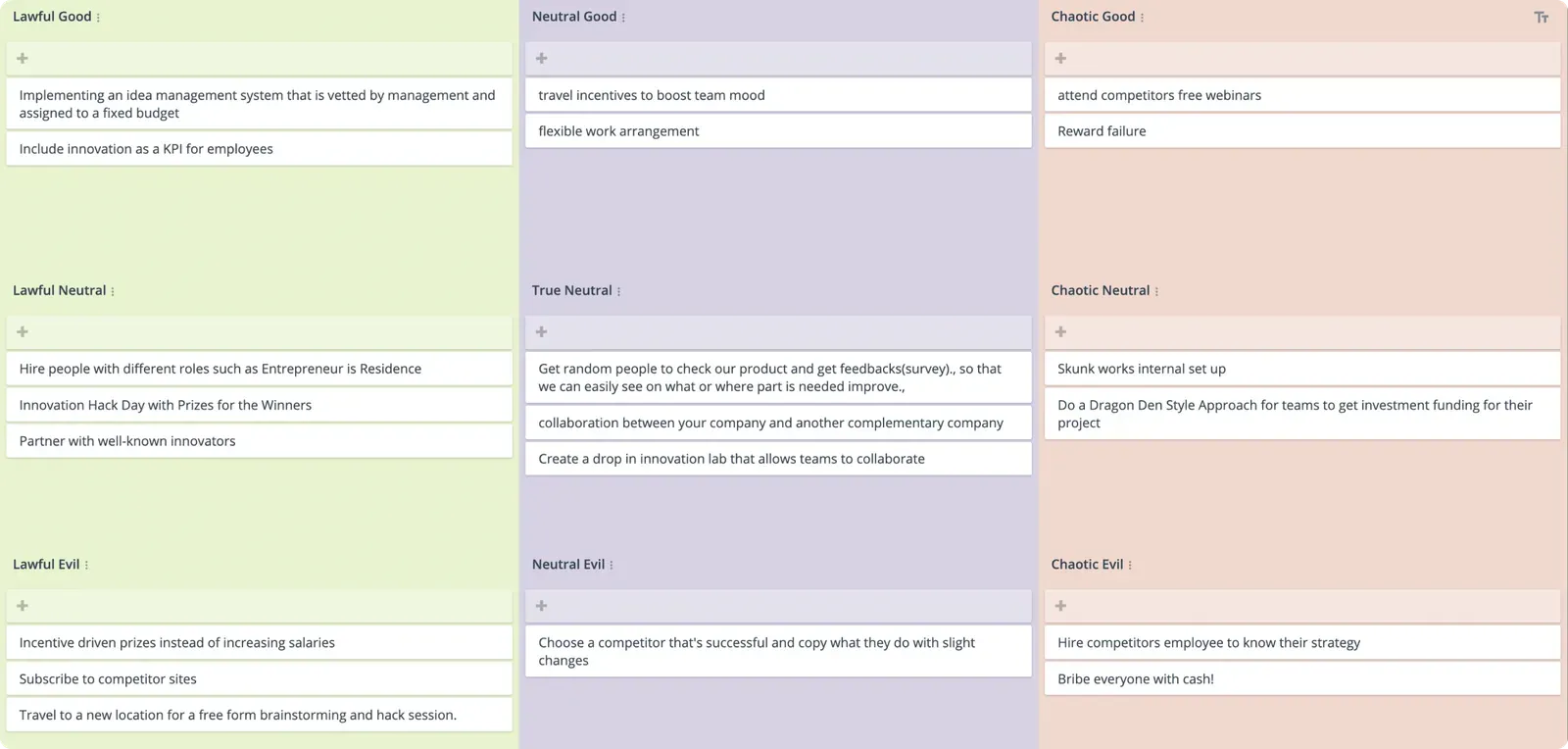
It is an imaginative way to encourage people to think about their values, how they approach decision-making, and the roles they play when working together. It is also a fun way to explore how those values play out in different situations.
Why do Character Alignment Chart?
This activity encourages self-reflection by revealing how each person may respond to a situation. The benefits of this include:
- It encourages creativity and solving problems from a different perspective.
- It promotes team building by understanding how different people respond to the same situation.
- People can explain their decision-making process in a non-threatening way.
Character Alignment Chart template
Lawful good
Upholds the law and is driven by duty and justice. Follows a moral code and respects authority.
Lawful neutral
Seeks to maintain the law, but is not bound by good or evil. Is motivated by duty or tradition.
Lawful evil
Uses the law to gain power or control. Is motivated by selfish desires.
Neutral good
Seeks to do good, but is not bound by rules or laws. Is driven by empathy and compassion to help others.
True neutral
Remains balanced between following the law and their beliefs. Seeks to maintain balance and self-interest.
Neutral evil
Primarily motivated by their own self interests, rather than the law. May use others to further personal goals.
Chaotic good
Prioritizes doing good over following the law or social norms. Is driven by freedom and individuality.
Chaotic neutral
Prioritizes freedom and individuality over law or moral codes. Is unpredictable and difficult to control.
Chaotic evil
Prioritizes own desires and goals above all else. Enjoys causing harm and destruction, and is difficult to control.
Alignment chart example
A filled 3×3 alignment chart plots the moral axis (columns) against the ethical axis (rows). Here is a classic example using well-known archetypes:
| Good | Neutral | Evil | |
|---|---|---|---|
| Lawful | Follows a just code to protect others (the principled knight) | Upholds order and tradition for its own sake (the loyal officer) | Exploits rules and hierarchy for power (the ruthless bureaucrat) |
| Neutral | Does good without loyalty to any rulebook (the pragmatic healer) | Keeps the balance and looks after their own interests (the fence-sitter) | Serves themselves, using or ignoring rules as convenient (the opportunist) |
| Chaotic | Fights for what is right, rules be damned (the rebel with a cause) | Values total freedom above all (the free spirit) | Pursues their own desires and enjoys the disorder (the agent of chaos) |
Swap the archetypes for your own scenario (decisions in a workplace dilemma, options for a project, or characters from a story) and the same grid becomes a discussion about the values behind each choice.
How to run a Character Alignment activity
Firstly, create a few scenarios that you can pose to the group. For example:
- You are the head of a new innovation hub for the company and have been charged with coming up with new ideas to improve the product and service offerings of the team. What kind of actions would you take?
- You are running a community consultation workshop to get policy feedback on greening the neighborhood, targeting the younger generation. What kind of actions would you take?
You can make the scenario as detailed or as simple as you like. Explain each of the different character types above to the group.
Each person brainstorms a range of actions they could take to address the scenario. For example, in creating a new product under a new innovation hub, they could:
- Create a Skunk Works-style operation for ad hoc and random collaboration.
- Design an innovation hub that has mentors and a support structure.
- Create an internal competition or run a hackathon with winners and losers.
Each action can then be sorted into the relevant square on the character alignment chart. Participants can discuss and deliberate as needed. Taking the three actions above:
- Create a Skunk Works-style operation for ad hoc and random collaboration. Chaotic neutral in nature. Skunk Works teams have the freedom and individuality to pursue their own innovation goals.
- Design an innovation hub that has mentors and a support structure. Lawful good in nature, given it has structure, rules, infrastructure and a support network.
- Create an internal competition or run a hackathon with winners and losers. Lawful evil, as each team pursues its own goals and its desire to win, but within a set of competition rules.
Have participants discuss the rationale behind where each action sits. Remember, there is no “right” answer.
This is a chance to get a sense of how people feel about each idea.
It also helps people understand the implications and potential benefits for each action.
Who should use one?
This activity is well suited for group facilitators, trainers, team leaders, or people leading groups to solve common issues that have multiple solutions.
Its game-based theme works well with retreats, creative problem-solving, and other collaborative settings.
Tips for the Character Alignment Chart
- Have a scenario ready to go, such as onboarding a new vendor or having to speed up production.
- Use technology and online collaboration tools to allow people to add their ideas in real time.
- There is room for all roles, including Evil, Unlawful and Chaos. Tell people to reserve judgment as the reasons for this behavior might reveal a different, yet important perspective.
- Having all actions in a single category may have implications. Have the team discuss what it could mean for the group.
Related templates
References
- How knowledge of the player character’s alignment affects decision making in an interactive narrative.
- How Knowledge of the Player Character’s Alignment Affect Decision Making in a Game.
Save effort, time and money with GroupMap
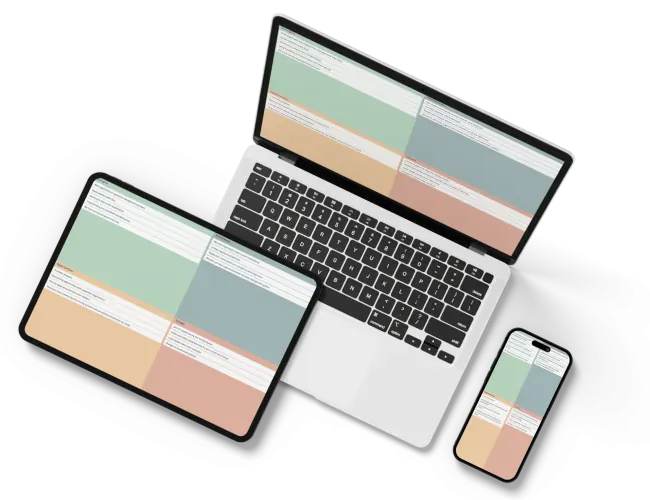
GroupMap offers more than just an online digital whiteboard. Its innovative platform is designed to enhance the quality of your team’s decisions. With features that prevent bias and keep facilitation simple, GroupMap makes sure no single voice dominates and keeps conversations productive and inclusive. Its intuitive interface is easy for anyone to use, and its scalable design supports small teams and large groups whether they are face to face or around the globe. Customizable templates and workflows keep discussions focused on objectives, helping you drive actionable outcomes each and every time.
Frequently asked questions
What is an alignment chart?
How do you make an alignment chart?
What are the nine alignments?
What is a morality chart?
Can you make an alignment chart online with a group?
How to run it in GroupMap
Brainstorm
Brainstorm actions for the scenario

Categorize
Sort actions into each category

Share
Explain your action and reasons
Ready to get everyone on the same page?
Start a free GroupMap and turn your next discussion into clear, shared decisions.