Frayer model
The Frayer model is a four-square vocabulary organizer: definition, characteristics, examples and non-examples around one term. Build one live.
What is the Frayer model?
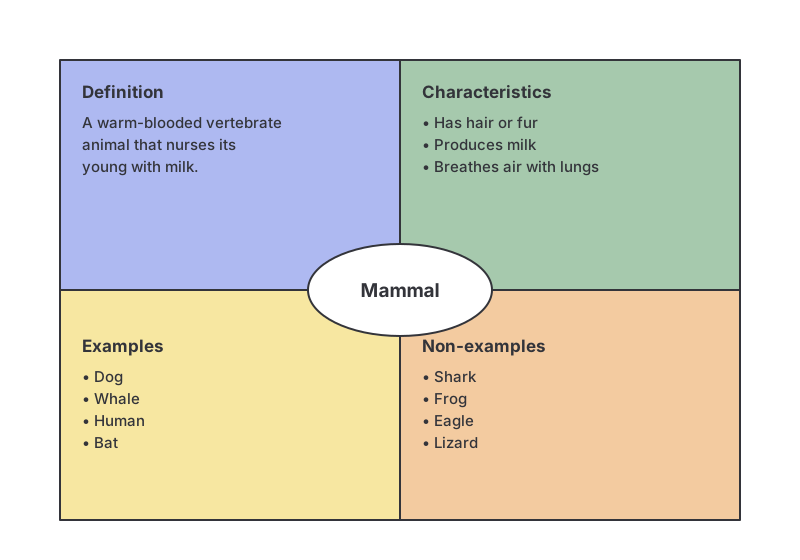
The Frayer model is a graphic organizer that builds a deep understanding of a single term or concept by examining it from four angles at once. The term sits in the centre and the surrounding space is split into four quadrants (definition, characteristics, examples, and non-examples), which students complete to pin down exactly what the word means and where its boundaries lie.
Developed by Dorothy Frayer and her colleagues at the University of Wisconsin in 1969, it is one of the most widely used vocabulary strategies in classrooms because it goes well beyond a dictionary definition: by demanding examples and non-examples, it makes learners test their understanding rather than just recall a phrase.
Key takeaways
- The Frayer model is a four-square organizer around one central term.
- The four quadrants are definition, characteristics, examples, and non-examples.
- Non-examples are the distinctive ingredient: they force learners to define the boundary of a concept.
- It deepens vocabulary and concept understanding far more than a plain definition.
- It works in any subject and is especially useful for reading support and language learners.
The four quadrants
| Quadrant | What goes here |
|---|---|
| Definition | What the term means, ideally in the learner’s own words rather than copied verbatim. |
| Characteristics | The essential features, properties or facts that are always true of the term. |
| Examples | Clear, real instances of the term. |
| Non-examples | Things that are similar or related but are not the term. The closer the near-miss, the better. |
The examples and non-examples work as a pair: knowing that a whale is a mammal but a shark is not tells you far more about what “mammal” means than the definition alone.
Why use the Frayer model?
- It builds durable understanding. Working a term from four angles is a form of elaboration that helps it stick.
- It exposes confusion. Weak or wrong non-examples immediately reveal where a concept is misunderstood.
- It supports every learner. The fixed four-box structure gives less confident students and language learners a clear scaffold to contribute to.
- It produces a reusable artifact. The finished square becomes a glossary card the class can revisit.
Who should use the Frayer model?
Teachers use it to introduce or consolidate key vocabulary, and it is a staple of literacy and English-language-learner instruction. Beyond the classroom, trainers and teams use the same four-box structure to nail down the meaning of an important term (a piece of jargon, a metric, or a domain concept) so that everyone shares one definition.
Frayer model example
Here is a completed Frayer model for the term democracy:
- Definition: a system of government in which power is held by the people, usually through elected representatives.
- Characteristics: free and fair elections; rule of law; protection of individual rights; peaceful transfer of power.
- Examples: a national general election; a local council chosen by residents; a referendum on a public question.
- Non-examples: an absolute monarchy; a one-party dictatorship; a decision imposed without any vote.
The non-examples do the heavy lifting: contrasting democracy with dictatorship makes the defining features (elections, rights, rule of law) unmistakable.
How to run a Frayer model in GroupMap
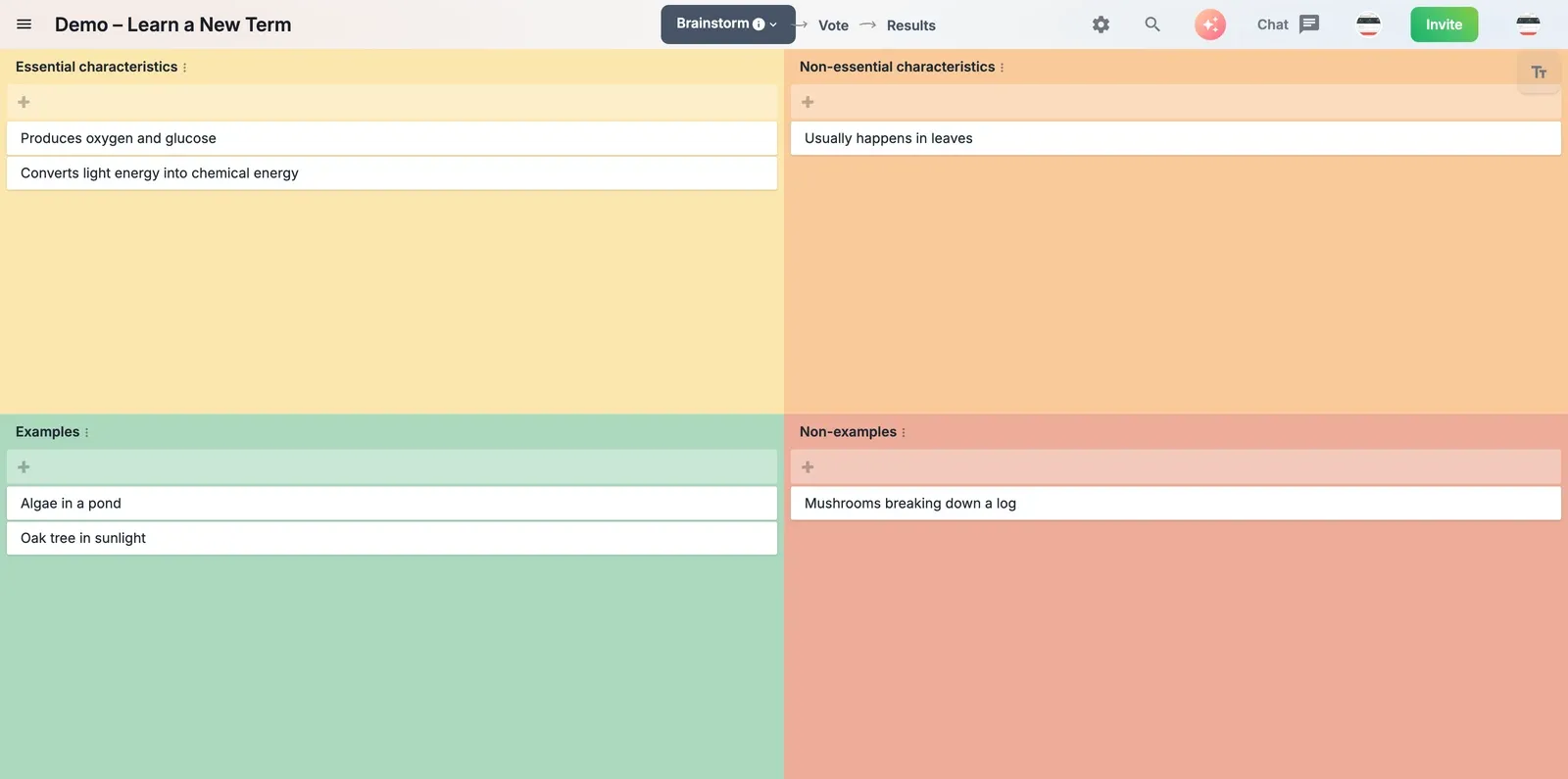
The Frayer model is usually a solo worksheet, but it is far richer when a group builds it together: everyone’s examples and non-examples pool into one shared, well-rounded definition. In GroupMap the ready-made template is called Learn a New Term, and it gives you the four Frayer quadrants around a central word.
- Set the term as the objective so the whole group analyses the same word.
- Brainstorm all four quadrants: people add definitions, characteristics, examples and non-examples at the same time.
- Group and refine: cluster similar contributions and agree the wording for each square.
- Share the result: publish the finished Frayer model as a study card or glossary entry.
Limitations of the Frayer model
- It is designed for a single term at a time, so it is not the tool for mapping how many ideas relate; use a group mind map for that.
- The four fixed quadrants suit concrete, well-bounded concepts better than fuzzy or highly abstract ones.
- Some variants swap in different labels (e.g. “essential vs non-essential characteristics”); pick the four headings that fit your subject.
Related templates
- Pros and cons list: a two-column organizer for weighing a choice.
- Group mind mapping: open, radial brainstorming around a topic.
- KWL chart: capture what a group knows, wants to know, and has learned.
- KWHLAQ chart: an extended inquiry organizer for deeper questioning.
References
- Frayer, D., Frederick, W. C., & Klausmeier, H. J. (1969). A Schema for Testing the Level of Concept Mastery. University of Wisconsin.
- The Frayer Model, AdLit strategy guide.
Build a shared understanding with GroupMap
A Frayer model built alone is one student’s understanding of a word; a Frayer model built together is the whole group’s. GroupMap lets everyone add to the four quadrants at once, cluster and agree the wording live, and walk away with a single shared definition: a glossary card that is instantly ready to reuse in the next lesson or onboarding session.
Frequently asked questions
What is the Frayer model?
What are the four sections of the Frayer model?
Why use examples and non-examples?
What subjects is the Frayer model used for?
How is the Frayer model different from a concept map?
How to run it in GroupMap

Objective
Name the term or concept at the centre of the Frayer model (for example "democracy" or "mammal") so everyone is analysing the same word.

Brainstorm
Ask everyone to contribute ideas to each of the four quadrants (definition, characteristics, examples and non-examples) at the same time.

Group
Cluster similar contributions within each quadrant and agree the wording, so the four squares read as a clear, shared definition.

Results
Review the completed Frayer model together and share it as a study aid or a glossary entry the whole group can reuse.
Ready to get everyone on the same page?
Start a free GroupMap and turn your next discussion into clear, shared decisions.