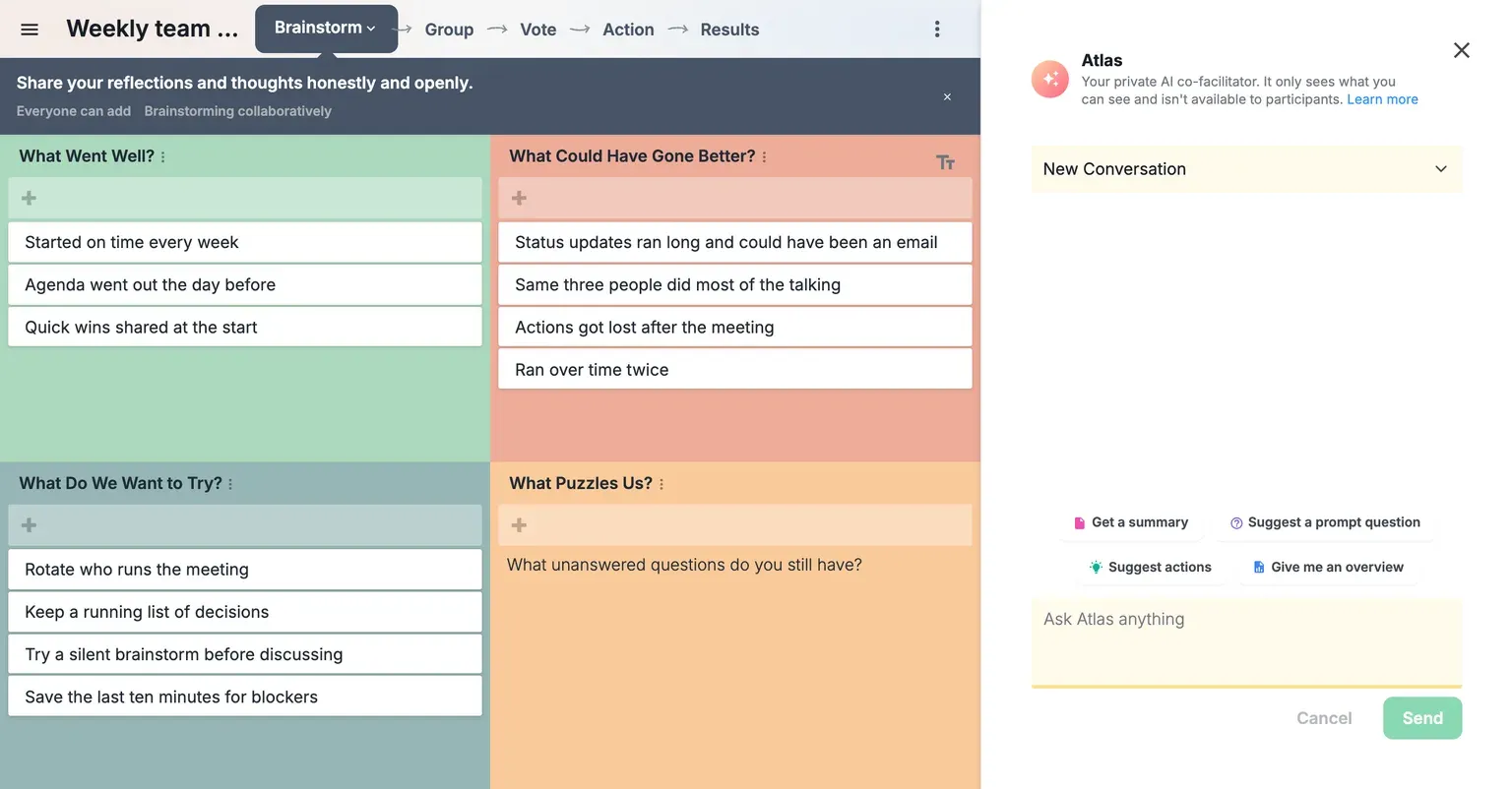
Meet Atlas: the AI facilitator built into your GroupMap session
GroupMap's AI facilitator reads what your team just wrote, mid-session. Visible to you alone, never to the group.
Atlas, the AI facilitator built into GroupMap, sits in the side panel of your live session, reads what participants have written, and reports to you alone: a summary on demand, a question worth putting to the group when discussion stalls, the actions hiding in the top-voted ideas when it’s time to close, and an answer to whatever else you want to know about what’s on the map. Participants never see it. What they see is you, with your eyes on the room instead of the board.
What is an AI facilitator?
An AI facilitator is software that helps run a group session. It reads what participants contribute, summarizes it, finds the patterns, and suggests what to do next, so the person running the session can spend less time reading the board and more time with the people in the room.
In GroupMap, that AI facilitator is Atlas, and it works as a co-facilitator rather than a replacement. Atlas takes on the synthesis: the reading, condensing and connecting that usually happens with your back to the room. You keep the process and the people. Your session still runs on a template, a defined process and a human facilitator, and Atlas is the colleague in the side panel you can turn to at any step.
How participants, you and Atlas work together
A GroupMap session now has three parties in it, and each does something the other two can’t.
Participants supply the thinking. The ideas, concerns, priorities and votes come from the people in the room, and in GroupMap they arrive independently first: everyone contributes before anyone sees the group’s input, so the loudest voice doesn’t set the agenda. That raw material is the whole point of the session. It holds the knowledge of the people who will live with the outcome, and it is what makes the outcome theirs.
You run the room. You designed the steps. You decide when to move on, you read the faces and the silences, and you carry the group from a wall of ideas to a decision. You also judge what is accurate, what is useful, and what gets kept. None of that is delegated, to Atlas or to anyone.
Atlas reads the map. Sixty ideas take a person several minutes to read properly, and longer to hold in mind. Atlas reads them in seconds, with no stake in the outcome, and hands you the shape of what the room said: the themes, the outliers, the concern nobody has quite named, the question worth asking next.
Where it comes together is in the hand-offs. Participants give the session its substance. Atlas turns that substance into something you can use while everyone is still in the room. And you do the things only a facilitator can do with it: build on what’s there, query it, extend it, challenge it, open up a discussion, and steer the group toward an outcome it will stand behind.
Why the ideas should still come from the room
It’s tempting to let AI do the brainstorming. It’s fast, it never runs dry, and the list it produces looks complete. But a group decision is only as strong as the group’s belief in it, and people don’t fight for ideas they didn’t have. There’s a second problem. GroupMap has participants brainstorm independently precisely so that nobody’s thinking is anchored by what’s already on the board, and a wall of machine-generated ideas is the biggest anchor you could put there.
So Atlas works from the room’s ideas rather than in place of them. When a group stalls it can help, by suggesting a question to put to the room or drawing out a theme the group has only half expressed. But the ideas it reads, summarizes and questions are the participants’ own. The output belongs to the people who wrote it, and so does the decision they reach at the end.
What Atlas does for you
The panel’s opening screen, shown at the top of this post, lists four things you can ask. Here is what each one buys you mid-session.
- Saves you the reading. Ask for an overview of the map at any step, in whatever shape you need (“give me a three-sentence overview”, “recap what we’ve covered so far”), and read it back while the ideas are still fresh, instead of promising a write-up later.
- Gives you a neutral read. A summary drawn from the ideas themselves isn’t weighted toward the senior person, the fluent talker or your own expectations. It’s a useful check on what you think you heard.
- Finds the patterns. Ask what themes run through the input, what the top-voted ideas have in common, or which concern keeps coming back in different words.
- Hands you the next question. When contributions slow down, ask for discussion prompts grounded in what’s already on the board, and put the best one to the group in your own words.
- Points to what’s next. Once the room has voted, ask for candidate actions and next steps drawn from the top ideas, then refine them with the group.
- Answers your questions about the data. Follow any thread you like: which ideas contradict each other, what’s missing given the session’s goal, how the vote split. Atlas works only from the content of your map, so its answers are about what your participants actually wrote.
Private to you, invisible to the room
Atlas is a facilitator’s tool, and only the facilitator sees it. Participants see the map, each other’s ideas once you reveal them, and the votes. They don’t see the AI panel and they don’t see what it tells you. Whatever Atlas suggests stays private to you until you choose to share it, by reading a summary aloud, putting a question to the group, or proposing an action.
That is deliberate. The conversation in the room stays between people. Nobody is arguing with a machine, and nobody is anchored by a summary they didn’t ask for. You decide what reaches the group, in your words, at the moment it’s useful.
Atlas is also read-only. It can’t add, move, group or delete anything on the map, and it does nothing until you ask. A person always reviews what it produces and decides what to keep. That arrangement, the models behind it and our commitment not to train on your session data are all set out on the responsible AI page.
Atlas in action
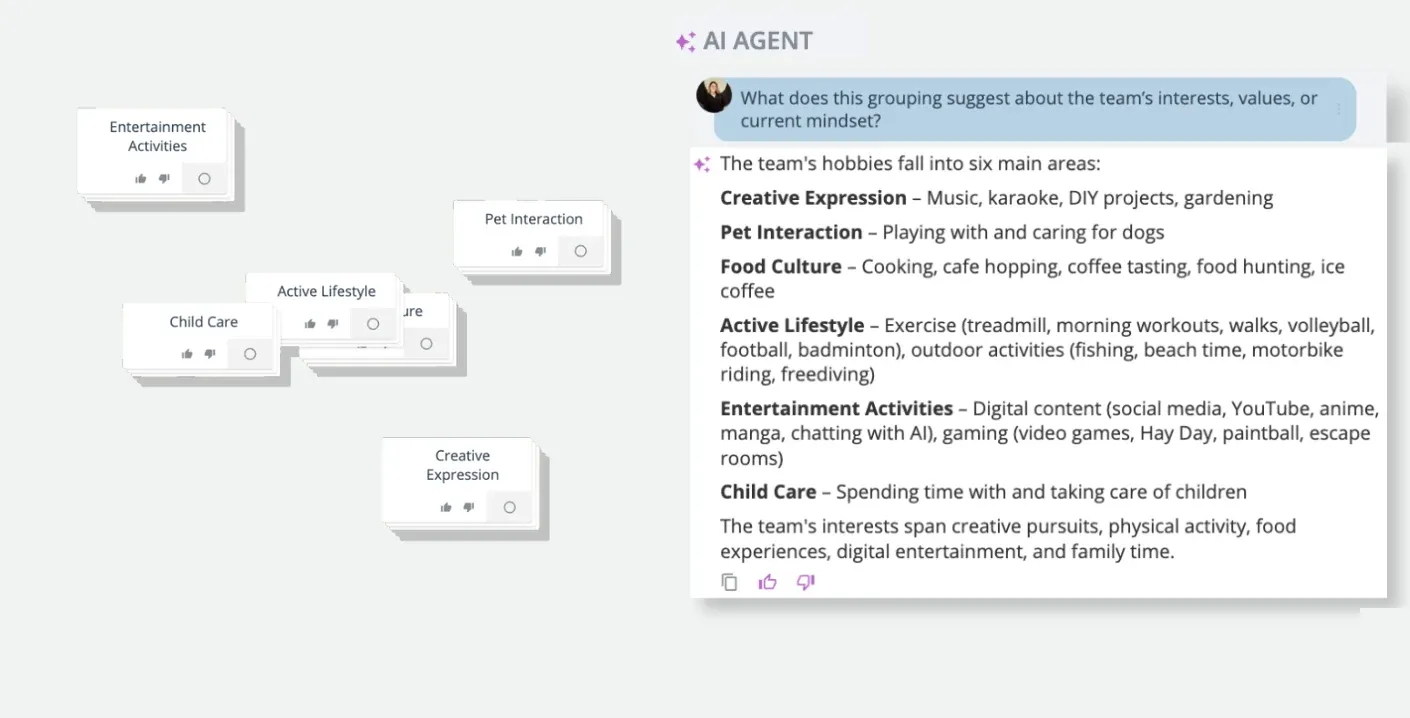
Atlas at work on a real map. This screenshot was taken before the rename, so the panel reads AI Agent.
The map above is a real one. A team used it as an icebreaker: everyone added their hobbies, and the ideas were grouped into themes such as Creative Expression, Active Lifestyle and Pet Interaction. The facilitator then asked Atlas what the grouping suggests about the team’s interests, values and current mindset. The answer came back in seconds: six areas, each summed up in a line, from music, karaoke and DIY projects under creative expression to cooking and cafe hopping under food culture, and a closing observation that the team’s interests span creative pursuits, physical activity, food, digital entertainment and family time. That is a read the facilitator can put straight to the room: “Does this sound like us? What’s missing?”
Here’s how the same idea plays out across a whole session. Say you’re running a strategy workshop with a dozen participants, working through a SWOT analysis.
- Build. After the independent brainstorm, ask Atlas for an overview and read it back. The room hears its own thinking played back in order, and corrects anything that’s off. You’ve built a shared picture without anyone having to summarize sixty ideas out loud.
- Query. Before moving on, ask what the strongest theme is, or what the weaknesses and the threats have in common. Use the answer to decide where the discussion should go, not as the discussion itself.
- Extend. When ideas dry up, ask for prompt questions grounded in what’s on the board. Pick one and put it to the group in your own words. The next round still comes from the participants, prompted rather than replaced.
- Challenge. Ask what’s missing given the session’s goal, or which ideas pull in opposite directions. Then hand the tension back to the room: “Two of our top ideas assume opposite things about next year’s budget. Which is it?” That’s where the real discussion happens, and it happens between people.
- Build consensus. After voting, ask for candidate actions drawn from the top ideas. Read them out as proposals, not decisions. Let the group amend, reject and adopt them, and close with next steps the room has already seen and shaped.
At every step the pattern is the same. Atlas gives you the read, you choose what to do with it, and the room makes the decision.
Atlas is included in GroupMap’s Professional and Enterprise plans, and in every 14-day trial.
Related posts
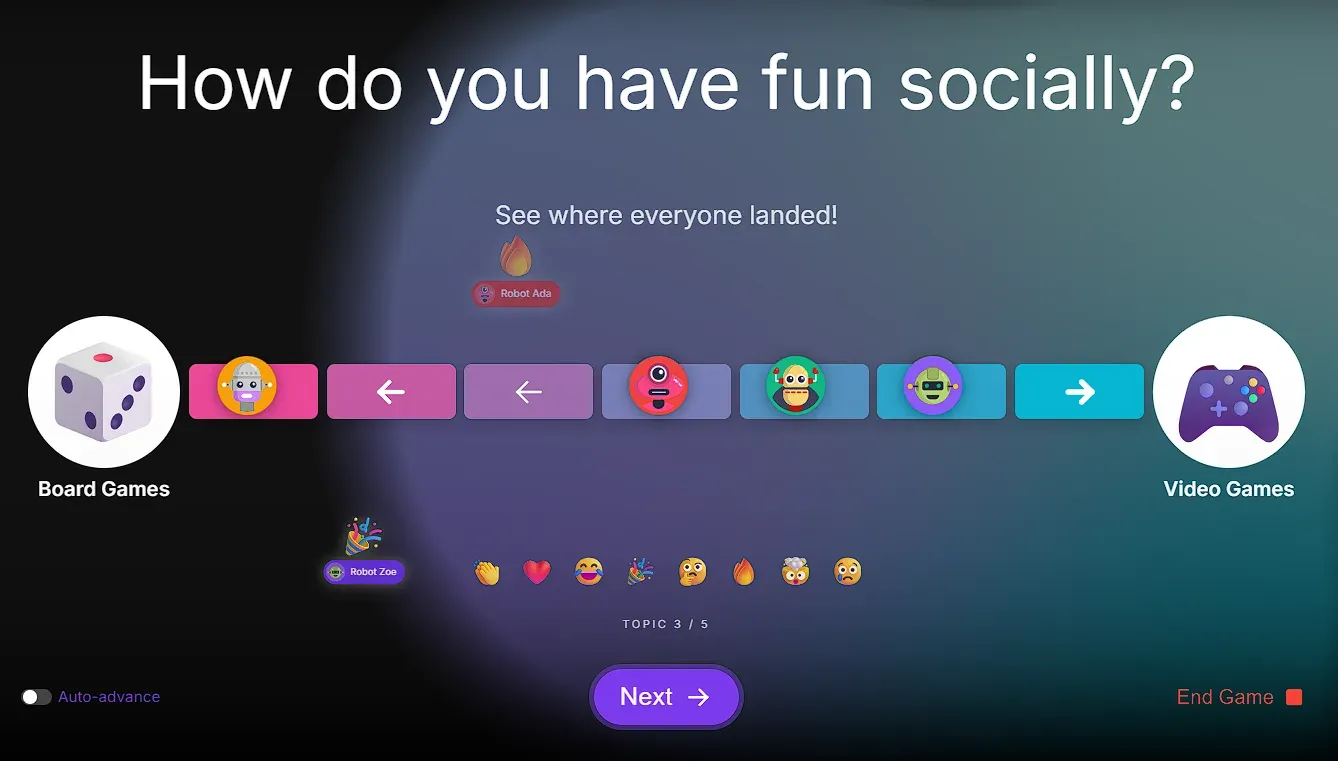 September 15, 202615+ cool icebreaker games you can run at your next meeting
Ready to add energy, get the room moving and talking? Warm up the whole room before you run your agenda with this collection of icebreaker games.
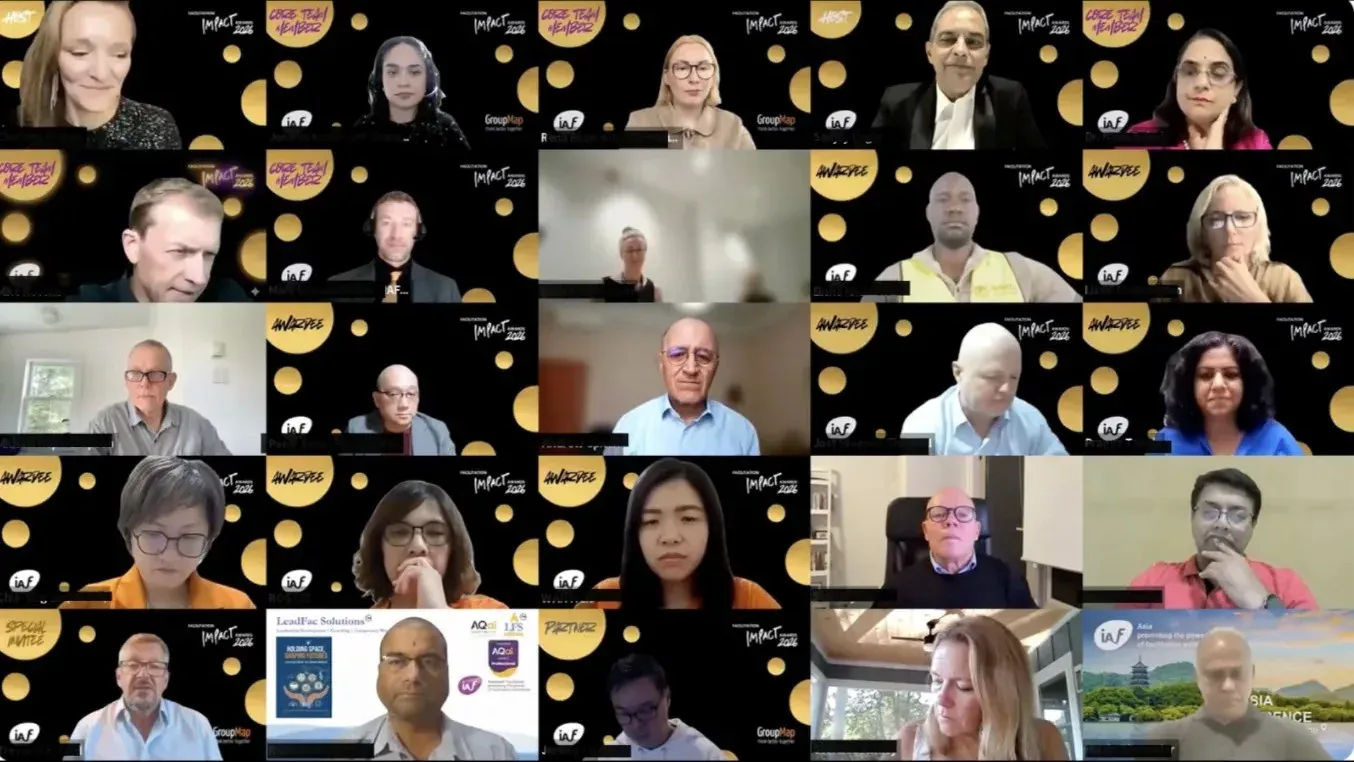 August 7, 20266 facilitation techniques we heard from IAF award winners
22 award-winning organizations shared the facilitation techniques that actually work. Here's what we heard from the IAF's winners.
 December 28, 2024Online workshop facilitation tools for 2026
Build your 2026 toolkit with online workshop facilitation tools: plan agendas, engage participants, and capture actions with AI efficiently.
Ready to get everyone on the same page?
Start a free GroupMap and turn your next discussion into clear, shared decisions.